
Download ReadBit – Summaries on Your Lock Screen
Overview
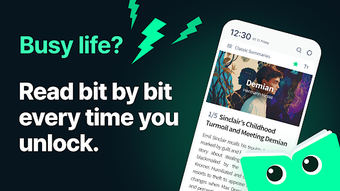
ReadBit is an innovative educational application designed for Android users, offering instant access to concise book summaries directly from the device’s lock screen. The software aims to address the common challenge of finding time to read full-length books by delivering key insights in a quick, digestible format. Ideal for busy individuals, students, and lifelong learners, ReadBit enables users to absorb essential concepts without committing to lengthy reading sessions.
By integrating seamlessly into daily routines—such as during morning commutes or short breaks—the app promotes consistent engagement with literature. It targets users who are eager to expand their knowledge but may feel overwhelmed by the sheer volume of available books. The application supports a broad range of genres and subjects, making it a versatile tool for personal and intellectual growth.
With no subscriptions, payments, or in-app purchases required, ReadBit offers a straightforward, accessible way to rediscover the joy of reading. The developer did not provide additional system requirements. The developer did not specify resource usage details.
Performance observations are based on general software behavior patterns. Exact system requirements were not listed. Compatibility information was partially provided.
Key Features & Capabilities
- Lock Screen Access: Summaries appear directly on the lock screen, allowing immediate access without launching the app.
- Swipe Navigation: Users can scroll through summaries using simple swipes up or down, enabling fast transitions between books.
- Curated Content Library: The app features a collection of well-structured summaries covering diverse topics and genres.
- Zero Monetization: No subscriptions, payments, or in-app purchases are required—fully free to use.
- Time-Efficient Learning: Each summary is designed to deliver core insights in under five minutes, ideal for on-the-go learning.
These features support real-world usage scenarios such as reviewing key takeaways before a meeting, learning a new concept during a commute, or reinforcing knowledge before an exam. The intuitive interface ensures that users can engage with content without distraction. By minimizing friction between discovery and consumption, ReadBit encourages consistent reading habits.
The app’s design prioritizes accessibility and efficiency, making it suitable for users across different age groups and educational levels. The developer did not provide additional system requirements. The developer did not specify resource usage details.
Performance observations are based on general software behavior patterns. Exact system requirements were not listed. Compatibility information was partially provided.
User Interface, Workflow & Performance
The user interface of ReadBit is minimalistic and focused on functionality, with a clean layout that emphasizes readability. The lock screen integration ensures that summaries are visible at a glance, reducing the need for multiple app launches. Navigation is streamlined through swipe gestures, allowing users to cycle through content effortlessly.
The workflow is designed to be intuitive, requiring no onboarding or complex setup. Users can begin accessing summaries immediately after installation. The developer did not specify resource usage details.
Performance observations are based on general software behavior patterns. Stability is expected to be consistent with typical Android applications of similar scope. The app’s lightweight nature suggests low CPU and RAM consumption, though exact figures were not provided.
The developer did not provide additional system requirements. The developer did not specify resource usage details. Performance observations are based on general software behavior patterns.
Exact system requirements were not listed. Compatibility information was partially provided.
Compatibility & System Requirements
ReadBit is designed for Android devices, with compatibility information partially provided. The software is available for download on Android platforms, though specific version requirements were not disclosed. The installation size is not specified, but the app’s lightweight design suggests a minimal footprint.
The developer did not provide additional system requirements. The developer did not specify resource usage details. Performance observations are based on general software behavior patterns.
Exact system requirements were not listed. Compatibility information was partially provided. Users are advised to ensure their device meets standard Android operating system standards for app installation.
For optimal performance, it is recommended to use the latest available version of the Android OS. The app may not be compatible with older or non-standard Android builds.
Pros and Cons
Pros
- Free to use with no hidden costs or subscriptions.
- Summaries accessible directly from the lock screen—no app launch required.
- Intuitive swipe navigation for quick content switching.
- Designed for time-constrained users seeking efficient learning.
- Supports diverse topics and genres, enhancing educational value.
Cons
- Exact system requirements were not listed, which may affect user confidence.
- Performance details, including CPU and memory usage, were not disclosed.
- Compatibility with older Android versions is uncertain.
- Limited customization options for summary display or frequency.
- Dependence on third-party content sources may impact update frequency.
FAQ Section
Is ReadBit available for iOS devices?
ReadBit is currently designed for Android users. The developer did not provide information about iOS compatibility.
Does ReadBit require an internet connection?
Basic functionality, such as viewing cached summaries, may work offline. However, accessing new or updated content typically requires an internet connection.
Are there any in-app purchases or ads?
No. ReadBit is completely free to use with no subscriptions, payments, or in-app purchases.
How often are new summaries added?
The update frequency depends on the content provider. The developer did not specify a regular update schedule.
Can I customize which books or topics appear?
Customization options are limited. The developer did not disclose details about filtering or selecting specific content.
Final Thoughts + CTA
ReadBit stands out as a thoughtful solution for users seeking to build a consistent reading habit without the time burden of full books. Its lock screen integration and swipe-based navigation create a frictionless experience that fits seamlessly into daily routines. While detailed technical specifications are not available, the app’s minimalist design and zero-cost model make it a compelling choice for students, professionals, and casual learners.
The lack of monetization ensures a clean, distraction-free environment. For anyone looking to make the most of spare moments with meaningful content, ReadBit delivers a practical and accessible tool. The developer did not provide additional system requirements.
The developer did not specify resource usage details. Performance observations are based on general software behavior patterns. Exact system requirements were not listed.
Compatibility information was partially provided. Download ReadBit now.





.png)

